Moving The Onboarding Process Away from Spreadsheets

There are two types of people: those who love spreadsheets, and those who are hopelessly disorganized. Ok, perhaps that’s an over simplification, but I’ve yet to come across a highly organized person who doesn’t have a solid grasp–and a tinge of excitement–for creating and using spreadsheets.

That being said, in some instances your favorite spreadsheet application, whether it be Sheets, Excel, Numbers, or something else, is being made obsolete by the emergence of new SaaS platforms. These process-specific solutions can organize data and present insights far easier than through the use of spreadsheets. Employee onboarding is one of the latest processes to transition from a spreadsheet-driven labor of love to SaaS empowered, laborless process.

Employee Onboarding with Spreadsheets

Listen, I get it. I still love spreadsheets too. I can control how my data is organized and who can change the document. I can always build onto a spreadsheet as my processes change and, more than anything, I’m comfortable with my spreadsheets. But control and comfort aren’t everything!

Sometimes you need to let go of absolute control, get a little uncomfortable, and take a step (or leap) forward to improve your outcomes. Let’s take a look at how employee onboarding software can help you get better results by abandoning spreadsheets, back-and-forth emails, and the timesuck of data entry. To illustrate, we’ll use a dramatized scenario of employee onboarding that you may find familiar.

Monitoring New Hire Progress

You’ve just finished hiring for a hard-to-fill position and as hiring manager you couldn’t be happier. The new hire meets all your requirements for qualifications, fit, and potential. In order to ensure that your new employee’s onboarding experience goes as smoothly as possible, you turn to you trusty spreadsheet.

Your organization has a number of activities and tasks planned for new hires. You and others will use the spreadsheet to monitor each employee’s progress through the  onboarding process.

Tracking New Hire Paperwork

The first step is for the new employee to complete the new hire paperwork. You’ve organized this paperwork in nice little packets that you deliver to the employee. After delivering the paperwork, you enter “yes” in the appropriate cell under the column heading “Delivered”, followed by “in progress” in the cell under the column heading “Paperwork”. Progress!

Delivering Reminders to New Hires

You’ve asked the employee to complete the paperwork in two days and submit to the HR coordinator. But on the second day, you receive an email from the coordinator stating that she hasn’t received the paperwork–she’s colored the “in progress” cell yellow in your shared spreadsheet. So you send a helpful reminder via email to the new hire. And cross your fingers.

Coordinating Oboarding Duties for HR

Alas, on the third day you see that the shared spreadsheet is still showing paperwork as “in progress”. So you color fill your “in progress” cell with red and craft another message to the new hire, letting him know that the paperwork must be completed today. Drats!

Fifteen minutes later, you receive a reply from the new hire stating that he has, in fact, submitted his paperwork. So you email your HR coordinator to confirm this. She confirms via email and apologizes for not updating the spreadsheet. You go back to the spreadsheet, change “in status” to “complete”, color the cell green, and move onto the next item…but not before sending another email to your new hire, apologizing for the mix up.

Recap

Emails: 4
Data Entry: 5
Outcome: New hire completes paperwork on time, but questions whether HR has it all together. You’re stress level is high and you haven’t even finished your morning coffee. You curse the stars.

Employee Onboarding with Onboarding Software

After hiring your new employee, you change the candidate status to “hired” within your applicant tracking system and the new employee immediately appears in your employee onboarding software. Your new hire receives an email that invites him to login to the platform.

Upon logging in, the new hire sees a dashboard with a list of required tasks to complete and their respective due dates. As the employee completes each task, the associated status changes to complete. If the new hire is close to missing a deadline, an automated email and in-system reminder is triggered.

As hiring manager, you can easily see the status of all items. Your HR coordinator has visibility as well, ensuring that your entire onboarding team is on the same page.

Recap

Emails: 1, plus any reminders (all automated)
Data Entry: 0 (after initial setup, new hires receive required tasks based on role, location or other criteria).
Outcome: New hire completes paperwork on time and is impressed by simplicity and ease of system. You smile behind your warm mug of coffee as you review the real-time status of multiple new hires at a glance. Success!

Beyond the First Few Weeks with Spreadsheets and Calendars

As a forward-looking HR professional, you know that onboarding is more than just the first few weeks. So in your spreadsheet you’ve included line items for employee engagement activities to occur over the course of each new hire’s first year. And you’ve even gone one step further: you created calendar events and reminders that align with the activity due dates in your spreadsheet. The calendar will alert you of upcoming tasks,  and the spreadsheet will help you report on your team’s efforts. Very slick!

Recap

Data Entry: Track activities for each new hire in spreadsheet. Create calendar events and reminders for each new hire.
Email: Compose and send emails with instructions/calendar request to each new hire. Remind and support HR team via email ahead of each activity.
Outcome: You succeed (sometimes) with engaging your new hires within the first year, but you’re constantly managing calendars, emails, and your master spreadsheet.


Beyond the First Few Weeks with Onboarding Software

When initially implementing your onboarding software, you replicate your existing onboarding process for new employees within the system. This includes scheduling all engagement activities, reminders, and emails for both new hires and other employees involved in the employee onboarding process. Once this work is completed up front, the system automates all necessary communications and status changes. Additions and edits to your onboarding process are easily achieved by adjusting workflow settings, and you can easily report on your efforts through the system.

Recap

Emails: Compose as many email templates as you need, once. Edit templates as needed.
Data Entry: During initial setup, plan employee engagement activities based on role, location and other criteria. The system takes it from there.
Outcome: HR saves time and effortlessly ensures that the onboarding team is ready and prepared to execute on an employee engagement strategy. New hires are never blindsided by calendar or email requests on short notice.

Choosing Employee Onboarding Software

Whether you’re ready to move your onboarding process away from spreadsheets or not, it’s probably a good time to start looking at your options for employee onboarding software. This is especially the case for organizations that are battling employee turnover. The use of spreadsheets is time-consuming and will take away valuable HR time that is better used in engaging employees. So if your organization is looking to deploy a comprehensive employee engagement strategy, employee onboarding software is likely a must.

On the other hand, if you’re organization does little in the way of employee onboarding or engagement, you may not need onboarding software–though you better have one heck of an ATS to deal with a lot of rehiring!


ExactHire provides applicant tracking software and employee onboarding software designed to help SMBs grow efficiently by reducing turnover and maximizing the time of HR professionals. To learn more about our solutions, please contact us today.

Hiring in Healthcare: Does a Nursing Shortage Exist?

There’s a nursing shortage! I don’t know when I started hearing about it, but it was probably in the early 2000’s right before I set off for college. I distinctly remember hearing that nursing was a great career choice. And I once considered pursuing it–even after the movie, Meet the Parents, played up the stigma around male nurses. There was a shortage of nurses, I was told. There was good pay and job security, and it was a respectable vocation.

I didn’t go into nursing, but I continued to hear about the shortage of nurses, and I believed the stories. In fact, I still hear about it today. So I thought I’d take a closer look at what’s driving the shortage , since employment trends and hiring challenges are kinda my thing.

The Nursing Shortage is Complex

I had no reason to doubt the nursing shortage. I expected to find clear reasons behind it, and I was hoping to come up with a few solutions to address the challenges. Most articles made a simple, straightforward (and quite urgent) case that there is and/or will be a shortage of nurses. It’s an easy story to tell that gets people’s attention–the type of story that when told frequently will eventually evolve into common knowledge.

However, I quickly discovered that the nursing shortage is not straightforward. It’s a multifaceted issue with many viewpoints and considerations that don’t make it into our newspapers or favorite news sites. Trying to make sense out of the disparate views was challenging. Researching this topic was confusing to say the least.

Past studies predicted a shortage that never came. There are stories of nurses who left the profession because they could not secure a position. Some studies are conducted by organizations that likely have a conflict of interest. And in 2017, the U.S. Health Resources and Services Administration (HRSA) predicted a surplus of nurses for 2025! And yet, the prevailing coverage is: “it’s a well-known fact that the U.S. suffers from a nursing shortage.”

To be fair, predicting the future is not easy. You use the information you have at hand, and your predictions can only be as accurate as that information. However, it seems that too many stories on the nursing shortage are either omitting crucial information, or worse, misrepresenting the facts.  To better understand the nursing shortage (or lack thereof) it’s helpful to consider the following perspectives:

Delayed Retirement of Baby Boomers

“The nursing shortage is real…or at least it will be.”

Proponents of this perspective believe that all the talk in the early 2000’s and today about a looming nursing shortage was accurate; however, a generational change in views on retirement combined with the economic realities of a post-recession world caused many veteran nurses to delay retirement or rejoin the workforce.

It is true that the baby-boomer generation is retiring later in life than predicted. This is the case for the majority of occupations, not just nursing. However, they will retire at some point (and eventually require more healthcare). According to a National Nursing Workforce Study, 50% of nurses are age 50 or older, which means a significantly larger portion of nurses are closer to retirement than are not. So it makes sense that a shortage could occur when a large increase in healthcare demand coincides with a large decrease in nurses.

Underserved Areas

“The nursing shortage is real…but it depends on location.”

Smaller towns and rural areas often struggle to find workers when compared with larger, metropolitan areas. Many nursing graduates or re-locating nurses may find it difficult to secure a job in a particular metropolitan area. This does not mean that a shortage of nurses doesn’t exist, it simply means that to find job opportunities, job seekers must be willing to commute or relocate–many are not.

Unfortunately, this fact is seldom disclaimed alongside proclamations of a nursing shortage, and nursing graduates are often blindsided when local demand for nursing is non-existent. According to the HRSA, only seven states are predicted to carry a nursing shortage through 2030: California, Florida, New Jersey, Ohio, South Carolina, Texas, and Virginia.

Artificial Shortage

“The nursing shortage is FAKE NEWS…hospitals want to ensure a surplus of nurses.”

Some of the more cynical may posit that the nursing shortage is part of a conspiracy led by hospitals. The thinking goes that if a hospital can ensure a surplus of nurses (its largest employment cost), then it can better control overall operating costs. Without a single, unified nurses union in the United States, a labor surplus provides hospitals with leverage in establishing wages, hours, benefits, and working conditions.

Would hospitals prefer to have too many nurses rather than too few? The answer is most certainly, yes. Are hospitals overselling or even lying about a shortage? With changes in healthcare legislation, an economic recession, and a generational movement away from previous notions of retirement, it is more likely that the complexity of the issue has caused the disconnect between studies, predictions, and reality.

So…does a real nursing shortage exist? Is it looming?

The above perspectives are just a few examples that add color to stories around the nursing shortage. While claims of a nursing shortage may sound like “crying wolf” to some, healthcare continues to grow faster than any other industry, and any change in the supply of nurses (entry of new graduates or the exit of retiring nurses) could quickly make a nursing shortage a reality.

So I predict that we will continue to see news stories and press releases that announce an emerging nursing shortage. I also suspect that the reasons for the shortage will begin to vary–a lack of nursing faculty and lower acceptances/enrollments at nursing schools seems to be the popular cause for concern today. However, regardless of how the story trends, there are a few key takeaways for employees and employers.

What you need to know about the nursing shortage:

  • For aspiring nurses: Understand how the demand for nurses will vary by region. Finding the right job may require moving to the right region. Additionally, depending on the area, available nursing positions may vary by specialty; it may be necessary to target more niche areas of nursing and to look beyond hospitals, especially for those who are just starting their careers.
  • For employers: Invest more resources in recruiting qualified applicants to “shortage areas.” This could include partnering with local governments and educational institutions to develop strategies for attracting talent. Of course,  more attractive and competitive compensation packages will also be necessary to retain talent. This is especially true if nursing shortages begin to develop in more attractive areas.

Both employers and employees alike must understand the reality as it relates to their particular set of circumstances. When employers, employees, job seekers, and students can separate crisis from “crying wolf”, everyone is in a better position to make employment decisions that advance their respective goals.


ExactHire provides hiring technology for the healthcare industry to help streamline the hiring and onboarding of new employees. To learn how our solutions can help your organization, contact us today.

Select and Implement Software for Your Employee Experience

It’s exhausting to build a business case for improving your organization’s employee experience through an investment in software. Unfortunately, it only represents the first challenge in realizing ultimate success. Convincing your organization of a need to improve the employee experience is a positive first step, but your efforts will be wasted if you fail to select the right vendor or lead an effective implementation.

In order to select the right vendor and meet the challenges of implementation, it’s important to have a plan that is driven by a timeline and aligned with organizational goals. But first, you want to establish desired outcomes that are measurable.

Desired Outcomes

Defining your desired outcomes for your employee experience may seem easy at first. In fact, you might have done a lot of this work while making a business case for change. However, before moving onto vendor selection, it’s a good idea to take a closer look at your current processes and ideas for improvement…from every angle.

To begin, compile a list of all stakeholders and their roles in the employee experience. It may make sense to put some individuals into groups, but you’ll want to make sure that you single out those with specific responsibilities, especially in the human resources department. Then, find time to discuss each stakeholder’s (or group of stakeholders) perspective on the employee experience. Some suggested questions to ask are:

  • What is missing from our experience?
  • What is included, but unnecessary?
  • What information or data is needed to support your role?
  • Can you access the data you need easily?
  • What data should have restricted access?
  • What has changed in the recent past?
  • What do you anticipate changing in the future?
  • Are there any other software solutions that may require integration?

You can ask these questions through a survey platform, but an in-person discussion might be more effective as it allows you to clarify your understanding by asking follow up questions. These discussions are also a good time to take inventory of the many different types of HR paperwork your team must process or complete. While this may take some time, it’s likely that you will emerge from the discussions with several new insights to inform your desired outcomes.

Finally, you may receive a lot of feedback about ways you can improve your employee experience, but you want to make sure that all desired outcomes are measurable. If stakeholders respond that your organization can improve the experience by “having more fun,” ask them how they would measure that. Or, ask for examples of “fun” and  what frequency of “fun” would make a difference. As you can see, your desired outcomes will not always come right off the paper. It will require follow up and a committed effort to uncover those factors that will really move the needle.

Timeline for Implementation

One of the most important aspects of effective implementation is having a thoughtful timeline. By thoughtful, I mean that dates should not be arbitrary, but meaningful and practical based on input from all stakeholders in your employee experience. If the timeline is too aggressive, it may cause confusion or, worse, resentment among your organization’s staff. Similarly, a timeline that is too conservative may delay early results that build confidence and energy among stakeholders.

A good place to start is in determining your milestones–big, time-based goals that are essential to success. These milestones will slightly vary by organization, but most will look something like this:

Communicate implementation plan to stakeholders

It makes sense that if you take the time to solicit input from stakeholders, you would also communicate the results of their input. Make sure that your implementation plan is communicated well in advance of the plan beginning.

Begin training and implementation

Often, organizations focus too strictly on a “go live” date. This makes sense, as that’s the point when a return on investment begins to accrue; however, a complete and thorough training and implementation phase is critical for maximizing an organization’s ROI in software.

Complete training and implementation

This may seem superfluous to the milestone above (or below), but having a concrete date for the end of training and implementation ensures that the time in between is structured and purposeful. This helps to eliminate unnecessary “padding” and holds both stakeholders and vendors accountable for their time and effort.

Implementation review

Another reason to have an end-date for training and implementation is to plan time for a review. This will be a period of 3 to 4 days when all stakeholders can express any concerns or questions they may have before the software goes live. Ask each stakeholder for a “go” or “no go”– just like NASA’s mission control room. This helps your organization avoid any self-inflicted hiccups in the days just after launch.

Go live with software

While it’s tempting to set an aggressive “go live” date, this is where you really need to trust your vendor. Ask a member of the vendor’s support team for a recommendation–don’t ask the sales rep. Then ensure that the “go live” date doesn’t conflict with the planned (and hopefully detailed) implementation phase.

Account billing begins

You may not have much control over this date. Depending on the vendor, billing might start before the ink dries on the contract. Others will not begin billing until your software is live. Some are flexible and will work with you to reach reasonable timing based on your unique circumstances. Regardless, this date is important because it will determine the actual cost of training and implementation.

Your organization’s relationship (or contract) with a software vendor can alter both the order and content of these milestones, however it’s important to account for all of these somewhere in your internal planning.

Vendor Considerations

Once you have agreed internally on the desired outcomes and timeline for implementation, you are now in a position to review possible vendors and more quickly determine which vendors will be a good fit for your organization. In discussing possible solutions with vendors, be sure to share your organization’s goals and how/when you want to achieve those goals.

Even when you’ve gained every assurance from sales reps that their solution is the perfect fit for your needs, you’ll want to ensure that the vendor has a few important things in place. The following characteristics of a software vendor act as insurance against sales reps who over-promise on their solution:

Intuitive Interface

All the features and capabilities in the world won’t mean anything if using software is difficult or confusing. Yes, customer support can mitigate this issue, but no one wants to constantly require extra help. An intuitive interface helps an HR staff remain self-sufficient and realize gains in productivity.

Self-service Capabilities

Until recently, most HR software focused on completing tasks for the HR department. The primary benefits, therefore, came in the form time-savings for the HR staff. Today, self-service capabilities provide benefits to everyone from job-seekers to candidates, and from new hires to veteran employees.

Helpful and Responsive Support

To reiterate, the ideal situation is to have software with an intuitive interface that minimizes confusion. However, users also need thorough training through implementation and easy access to support resources should any issues arise. Helpful and responsive support is insurance against the unexpected.

The desired outcomes for your organization’s employee experience may add to the prerequisites listed above, however having these in place will protect you from picking the wrong vendor, and greatly increase your chances of picking the best one.

Communication with Software Vendor

With a vendor and implementation plan in place, you’re now ready to begin work toward your first milestone. It’s likely that any software solution designed to support the employee experience will involve several people, maybe even dozens. This can make it difficult to easily track your progress if the right hand (client team) doesn’t know what the left hand (vendor team) is doing.

From the outset, prompt communication must be established as a top priority for your implementation team–internally and client-to-vendor. This can be accomplished through a number of means, ranging from the simple shared spreadsheet to any number of lightweight project management solutions. Even frequent emailing can get the job done as long as there is agreement across the board on acceptable response times.

Make sure you have a clear understanding of how you will communicate with a vendor before you begin training and implementation. This is not something you want to experiment with as you go. Valuable time can be saved by establishing communication channels from the start, and then using those consistently throughout implementation.

Realizing Ultimate Success

With an ever-tightening job market, more and more employers are recognizing the need to improve the employee experience. This places the challenge squarely on HR to chart a course to ultimate success. Selecting the right vendor may seem like the first and biggest challenge, however it’s only one part of the journey. HR professionals must first engage all stakeholders in the employee experience to determine desired outcomes and build a thoughtful timeline that is aligned with organizational goals.


ExactHire offers employee onboarding software that’s designed to streamline your employee onboarding process by using paperless forms and automation. Contact us today to learn how you can customize your solution to support an improved employee experience.

The Anatomy of a Perfect Job Post

Bookmark this blog post, and make sure you’ve completed this checklist the next time you press “publish.”

1. Your Target

With the popularity of job aggregators, it might seem pointless to worry about placing your job postings on boards that target a specific type of job seeker. However, job aggregators do have limitations; one of them being visibility.

You see, although your job post may be picked up by Indeed or Glassdoor, there’s no guarantee that your ideal job seekers will see it–the volume of job posts is just too great. So while it’s important to optimize your job posts for visibility on job aggregator sites, you cannot ignore the first step of identifying niche job boards and networks that engage job seekers of a specific professional background.

Targeting specific job seekers also extends to the careers page of your organization’s website. Items such as employee testimonials and spotlight videos should touch on all departments and roles within your organization. In this way, an organization will be prepared to engage job seekers for any and all open positions.

Tip: Use Google Search to find niche job boards that will be of frequent use to your organization (they might be on the second or third page of results), and then create accounts for later use. Store the login credentials and a short description of the board. Some applicant tracking systems may offer to integrate with these job boards if you request this from the vendor.

2. The Title

The job title is one of the most important parts of a job listing. Too often, however, employers simply use the official, internal job titles for job listings. This is unfortunate because “Junior Developer” is not nearly as descriptive or informative as “Front End Javascript Developer”. Remember, the job title of your job post will impact 1) the visibility of your job post and 2) whether or not a job seeker clicks on the link.

So go ahead and make a super-descriptive job title for your job post, just make sure it’s not so long that it exceeds a maximum character-count for search engine results. You don’t want to appear as if you are hiring for a “lead automotive mechanic”, when you really want a ”lead automotive mechanical engineer.”

Tip: Study your competitors’ opportunities for job title ideas that represent your employment need. You want to strike a balance between descriptive/enticing and readable ( i.e., not truncated).

3. The Order

A common element of many job descriptions is the “about us” section or company overview. This is an opportunity to showcase basic information about the organization’s products or services, as well as illustrate the company’s work culture. Unfortunately, many organizations make the mistake of placing the overview section at the beginning of a job description.

This placement can hurt the click through rate (CTR) of job postings because search engines display the first 160 or so characters of a page’s body text. Do you really want the link to your job posting to only have the title and a couple sentences about your company?

Tip: By moving the company overview towards the end of the job description, you can include compelling information about the job opportunity at the beginning. This will make your job description more attractive, helping to increase the CTR of your job posting and bring more traffic to your career site.

4. Meta Descriptions

Meta descriptions are the short 160-character descriptions, contained in an HTML tag, that display under the page title on a search results page. They are used to provide additional information about a result–in the same way as described in the previous point. However, when a meta description is left blank, the search engine will default to show the first 160 characters as described in #3.

If your applicant tracking system or the content management system of your website allows you to edit meta descriptions, then you won’t need to worry as much about how your job description is ordered. Your meta description will display, regardless of what that first sentence of your job listing describes.

Tip: Just like your title, most search engines and/or job boards will limit the number of characters you can use. So make every word count by focusing on a jobs required duties, skills needed, pay, location, and benefits.

5. Readability

Search engine optimization, or SEO, is a term thrown around a lot. For the purposes of writing a perfect job description, it refers to the likelihood that a job seeker will find your job post among thousands of other, similar job posts. What will make your post appear first?

A common approach is to write a job description around a keyword or phrase. The idea is that the frequent use of this phrase within a post will signal to a search engine that your post–and not your competitor’s–is the definitive post for a “Senior Digital Strategist.” There is a danger, however, to embracing this approach without considering readability.

A job description that is 500 words long, but uses the phrase “Senior Digital Strategist” 50 times throughout the post, will encourage most job seekers to instantly hit the back button. These posts just feel like spam.

Tip: First, create job descriptions to be informative and enticing, yet readable. Then, review and edit your description for opportunities to add keywords and phrases in way that does not distract the reader.

6. Images and Video

Talk of meta description, job descriptions, and titles is important. However, if recent history has shown us anything, it’s that people really prefer to consume information visually.

So in addition to providing an old fashioned, text job description, consider whether an infographic could convey the same information in a more compelling way. Include pictures of your current employees on the job, showing job seekers your workspace and how people interact. Many companies will invest in creating a 2-minute video that covers the “About Us” component or even provides an overview of specific roles.

While the production of this content may take a little time and money, many applicant tracking systems make it easy to place this content within the job descriptions.

Tip: By engaging job seekers in a different way, while also providing the need-to-know job information, you will make it more likely that they click-through and land on your careers site…

7. Nail The Landing

Having a perfectly optimized and engaging job description is all for nothing if your job post directs job seekers to a careers page that is lacking. And this can be the case…in a lot of different ways.

For one, while most organizations now have mobile-responsive websites, this does not mean that their career site–often designed and hosted by a hiring software vendor–is also easy to use via mobile devices. Nowadays, careers sites and online job applications must be optimized for mobile. There are simply too many job seekers who use phones and tablets to conduct their job search.

Your careers site or job description page should also make it very clear and easy to apply. This obviously means offering an online application, but it also could mean offering services like “apply with LinkedIn” or “Apply with Indeed,” where job applicants can save tons of time auto-populating online job application with information stored on those popular job search platforms.

Tip: If job seekers cannot easily apply once landing on your careers site or job description page, then it’s very unlikely that they will return. Utilize online application, auto-population features, and a mobile friendly design to encourage job seekers to apply anytime, from anywhere.


ExactHire offers applicant tracking software for small and medium-sized businesses that make it easy to create job posts that target, engage, and entice the right job seekers to apply for your open positions. Contact us today for a personalized demo of our solution.

Starstruck Behind The Tech Curve

A professional who seeks to lead in any industry will constantly look for ways to increase productivity and efficiency. The past decade has offered businesses countless ways to improve with the introduction of new technologies. Businesses that invested early (and wisely) in new technology were rewarded with a competitive advantage over those that lagged behind. However, this is very difficult for most businesses to do. The difficulty is twofold:

1. Deciding Which Technologies to Adopt

New technologies seem to hit the market every day. Businesses must wade through the hype surrounding new technology and decide which ones will positively affect the bottom line. The sooner they invest in value-added technology, the more likely they will gain a competitive advantage through its implementation.

2. Choosing the Right Vendor or Product

As more and more businesses adopt a technology, great outcomes–let alone a competitive advantage–are not guaranteed. When demand for a new technology increases, the field of competitors expands. This produces some great vendors…along with some awful ones too.


So how does a business effectively invest in technology, when considering the speed of technological advancement and the volume of hype that accompanies it?


Trends and Hype

Not long ago, trends developed over a relatively long period of time. The X-axis usually ticked in years. And we learned about these trends at annual conferences, quarterly magazines, or books (real books). Those who attended, subscribed, or read up were privy to the latest trends.

Today, with technology advancing at breakneck speed, business are feeling a mix of urgency and uncertainty, perhaps even fear. Tech trends are rising and receding so quickly that it’s difficult to determine which trends to follow–lest you be led astray by a fad. We spot these trends on-demand with internet access, a search engine, and social media. Those who connect, search, and follow are instantly in the know.

All of this creates pressure for businesses to adopt new, trending technologies…if only for the hope that it will lead to the possibility of improved outcomes. To avoid wasting resources on a passing tech trend, ask yourself the following questions:

  • What are the direct outcomes (benefits) of this technology?
  • Do the direct outcomes of this technology affect my bottom line?
  • Does my business need to improve these outcomes?
  • Am I currently using another technology that can improve these outcomes?

This line of questioning will help you determine whether a new technology is right for your business or simply a trend that is a better fit for others. You may determine that your business does have a need for a new technology. In this case, the difficulty now lies in vetting vendors and products to find the solutions that will produce the desired outcomes.

Starstruck Behind The Tech Curve

For all the passing tech trends, there are those technological advances that businesses must adopt in order to remain competitive and profitable. The longer a business delays in adopting a new technology, the more important it becomes to select the right technology. Selecting the wrong vendor or product will see a business fall farther behind, while a business that invests in the right technology can quickly make up lost ground.

With the stakes so high, deliberate and informed vetting of vendors and products is vital.

Unfortunately, too many businesses are rushed to a purchase decision for fear of being left behind by the latest tech trend. They are easily starstruck by software reviews and customer testimonials. This blinds them to the real factors that drive successful implementation and improved outcomes.

Reviews and Testimonials | Check For Fit

Let’s face it, product and service reviews aren’t what they used to be. Businesses know that consumers will do research online before making a purchase, and so they invite customers who self-identify as “happy” to provide customer testimonials and reviews for their website and social media pages. Even some third-party review sites allow businesses to invite a “happy” segment of current customers, in addition to unsolicited reviews. This can often result in reviews that skew positive.

The lesson for businesses that are shopping for software is to be wary of reviews and testimonials. While negative reviews will obviously be a red flag, positive reviews require a closer look. Specifically, research the people/companies that are providing the reviews:

Is the company in your industry?

A five-star review of hiring software may be enticing, but if all the reviewers are in the restaurant industry it might not translate well for a business in manufacturing. Consider whether the results described in one industry will translate to yours.

Is the company the same size?

Great software is built to address specific needs and challenges. A large company of over 1,000 employees will have different needs than a company of 50 employees. Consider whether the software has more or less functionality than you need.

How does the company use the software?

It’s common for software to come in editions or packages that include different sets of features. Look closely as to which features are being reviewed and which edition includes those features. Consider whether you need those features and if they address your needs.

Which pricing tier or package do they use?

This goes along with the previous point. Just as reviewers may refer to specific features, they may also review the software for a specific pricing tier. You may fall in love with a Cadillac, when you only have a Hyundai budget. Consider whether the software features you need are available in a pricing tier your budget can afford.

What is the company’s relationship to the software vendor?

In some cases, software reviewers or their employers may have a strategic relationship with the businesses they are reviewing. This can lead to reviews that are genuinely positive, but devoid of constructive criticism. Consider whether the reviews are balanced and complete.


By taking a closer look at software reviews–and the customers behind them, you can begin to create a shortlist of software vendors that are more likely to meet your needs. For the most part, software review sites are very helpful in this process. However, it’s important to look critically at the content of the review and not just a vague star rating.

Avoid Hype, Focus on Value and Fit

A business that adopts the right technologies at the right time can successfully increase productivity and efficiency while gaining an advantage over its lagging competitors. While the concept is simple enough, the path to success requires a disciplined focus on a business’s needs and a critical eye for how the available technologies will meet those needs.


ExactHire offers applicant tracking software and employee onboarding software for small and mid-sized businesses. With nearly a decade of serving the needs of our clients, we are committed to continued improvement of our software and exceptional ongoing customer support.

Employee Culture And Corporate Job Fit – Buzzwords Or Reality?

Your employees are a valuable resource. They are the power behind your customer service, production, and revenue generation. They are also the ones who will have the most interaction with your customer base. Having a set of employees who act in a similar way to situations is the key to delivering a consistent experience for customers.

One way to ensure a consistent customer service experience is to have a recruitment process that takes into consideration how well candidates may be able to successfully assimilate into your company culture as a part of the selection cycle. Culture has long been the focus of management consultants and other HR professionals as a way for businesses to improve their productivity, decrease costs and improve employee retention.

However, does corporate culture have as great an impact within an organization as we might be led to believe? Or are employee culture and job fit just buzzwords?

What Is Company Culture?

Organizations are not faceless entities run by people in suits in a boardroom. They have personalities, identities and values that are present both internally and externally. Company culture can be described as the organization’s personality from the employee perspective. It is an experience that includes the company’s mission and the workplace atmosphere.

How this is symbolized within the organization varies from company to company. It might be documented officially, represented in a logo, or be an unspoken set of behaviors understood throughout the organization. A company’s culture will determine the environment of the workplace – for better or worse.

The corporate culture of a work environment also affects how the organization interacts with external entities: the local community, customers, and others. Essentially, when a brand has a strong corporate culture, everyone knows about it.

Take for instance Zappos. Its corporate culture is as well-known as its products, and cultural promotion starts from the moment its team hires a new employee. Zappos has a cultural fit interview and during training, if hiring managers feel the job isn’t for the recruit then the recruit is offered $2,000 to quit in the first week.

Also, ten core values are promoted to every team member. This is possible because a portion of the corporate budget is spent on culture promotion and employee team building. The Zappos team’s efforts have yielded great results, with happy employees and great customer experience.

Employees and Their Cultural Values

Employees have ethics and moral codes which help dictate their behaviors in certain scenarios. With enough information, you can accurately predict what actions an employee would take in different scenarios.

When these actions are aligned with the organization’s corporate culture; the employee feels secure and happy. Other research has found that happy workers are 12% more productive than unhappy workers.

When employees are not aligned to the corporate culture, this can be a significant issue as some sources report. One report by the Harvard Business School stated that the annual cost of a toxic employee, an employee who negatively affects the cultural cohesion of a team, is on average $12,000 per year. Other studies have placed this figure even higher.

Failing to hire employees that will complement your corporate culture may lead to a toxic environment, despite whether the new hire is highly productive or skilled at bringing in high levels of revenue. A hire that is out of sync with your corporate values and culture can cause staff and customers to abandon your business, and this can be costly.

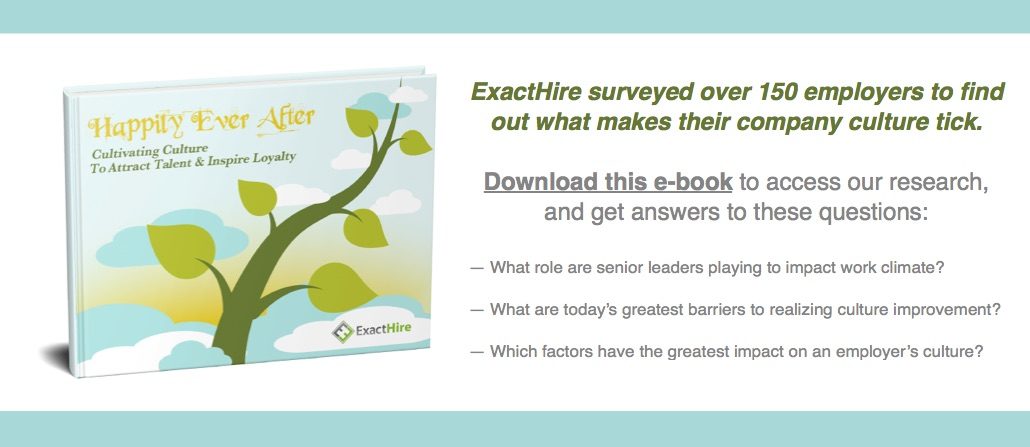
Download ExactHire Company Culture E-book

Hire For Culture

The general consensus among business leaders is that cultural fit is vital for successful recruitment. A survey by Cubiks in 2013 found that 82% of managers thought it was important and 59% had indicated that they had rejected clients because they weren’t a good cultural fit. Additionally, 92% disagreed that cultural fit was a buzzword.

The argument seems to be in favor of the recruitment process incorporating exercises that assess whether the cultural values of the candidate will align with those of the employer.

It isn’t just business owners that think the cultural fit is important, many job seekers believe that finding a company with values similar to their own is important. In fact, corporate culture can be a top priority during the application process relative to market presence, financial performance, or longevity.

How Can You Define Your Corporate Culture?

If you want to hone your recruitment process and start to reduce the number of bad hires that are coming into your business, you need to define your culture clearly. There are three elements that you could use to help according to this blog by Moz:

Shared Beliefs: These are the aspects, concepts and behaviors that your organization believes are universally true. You can sum these up in a few statements including:

  • Great employees have traits like X, Y, Z
  • It is inappropriate to Y at work
  • You should treat others right by doing Z

Shared Priorities: These are the activities, tasks and long/short-term goals that are most important to your organization. This element can also relate to shared processes that individuals have when it comes to making decisions.

Stylistic Cohesion: Not everyone has to agree, that would be useless for your business, as some conflict can help solve problems with innovative solutions. However, cohesion is about creating a team where none of the members adversely affect the happiness or performance of others.

How to Ensure a Good Fit

When it comes to recruitment, make sure you ask the right questions during the interview stage. Questions that attempt to reveal the candidates’ behavioral norms, values and priorities will help you predict cultural values and their future behaviors.

You’ll start to get a good idea about whether they are a good cultural fit as you should know what answers you and the rest of your team would give if asked. However, bear in mind that this is the opportunity for your candidates to query your corporate culture too. So be prepared to answer questions that could relate to that.

You could help demonstrate the corporate culture of your organization in the interview with the support of visual and audio aids. These could be part of the interview or situated in the waiting area.

Finally, offer a social event to examine the candidates’ cultural fit, such as a social meeting after the interview, a job shadow or consider a short trial period. Either of these will give you insights about the candidates in a different setting and reveal details about them that a stressful interview would not. If they get the chance to meet another employee or two, then your current staff could also help determine whether candidates are a good fit or not.

Conclusion

Candidate cultural fit is not a buzzword; it’s a vital aspect of your potential hires that can determine their success and support of your organization. Get it wrong, and you could face extensive costs in replacing the staff member and repairing the damage they cause your business. Get it right, and you could have a loyal staff member who supports the growth and advancement of your organization.

Do you hire with the cultural values of the employee in mind? How do you identify your candidates’ cultural values?

Company Culture Ebook Download | ExactHire